[OCR]Reads the text in your screenshots
It pulls Korean and English text out of your images and turns it into something searchable. It even cleans up typos and line breaks so it reads nicely.
Those screenshots piling up in your camera roll? Useful again.
Memsum reads the text inside them, sorts them, adds events to your calendar, and hands your week back in 5 lines.
Try it free, right now
Receipts, plans, coupons, that article you meant to read later…
You keep taking them. You almost never look back.
For some people, it's this many.
0shots
And barely any, looked at twice.
“Why did I even screenshot all this?”
You've opened your gallery to clean it up, then closed it an hour later. We've all been there.
You've tried the note apps too. A month later, untouched.
It's not you. It's the tools that made you do the sorting.
STEP 01
Just take a screenshot like you always do. Nothing else to do.
STEP 02
It reads the text inside (OCR), adds a title and summary, and files it into one of six categories — automatically.
STEP 03
Events go to your calendar, and your week comes back as a 5-line recap on Sunday evening. All you do is look it up later.
It pulls Korean and English text out of your images and turns it into something searchable. It even cleans up typos and line breaks so it reads nicely.
Every screenshot gets a one-line title and a one-line summary, sorted automatically into six buckets — marketing, plans, receipts, shopping, info, and other — so it’s easy to find later.
It spots events in screenshots that have a date and time. One tap, whenever you want, adds them to Google Calendar. No more missed plans because you forgot to copy them over.
From everything you captured this week, it picks the 5 worth a second look and shows them in 5 lines — a quick look back at what you held onto.
Right now you can try every feature for free. Your Google Calendar connection stays on your device, and Memsum never reads your whole calendar.
Screenshots sorted, text read, your week in 5 lines.
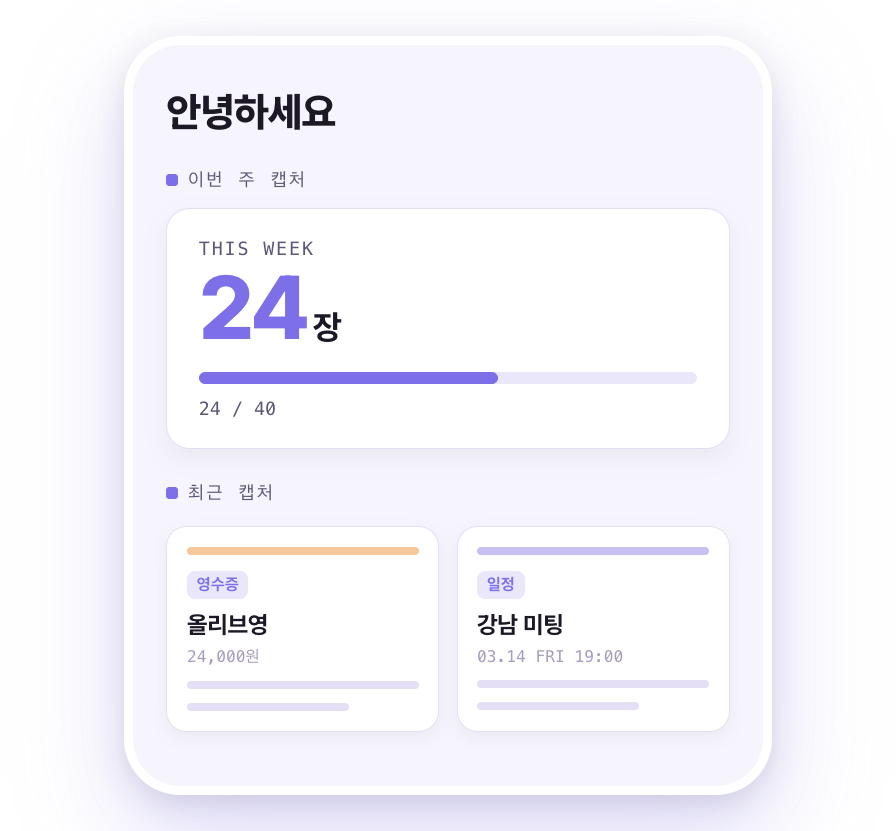
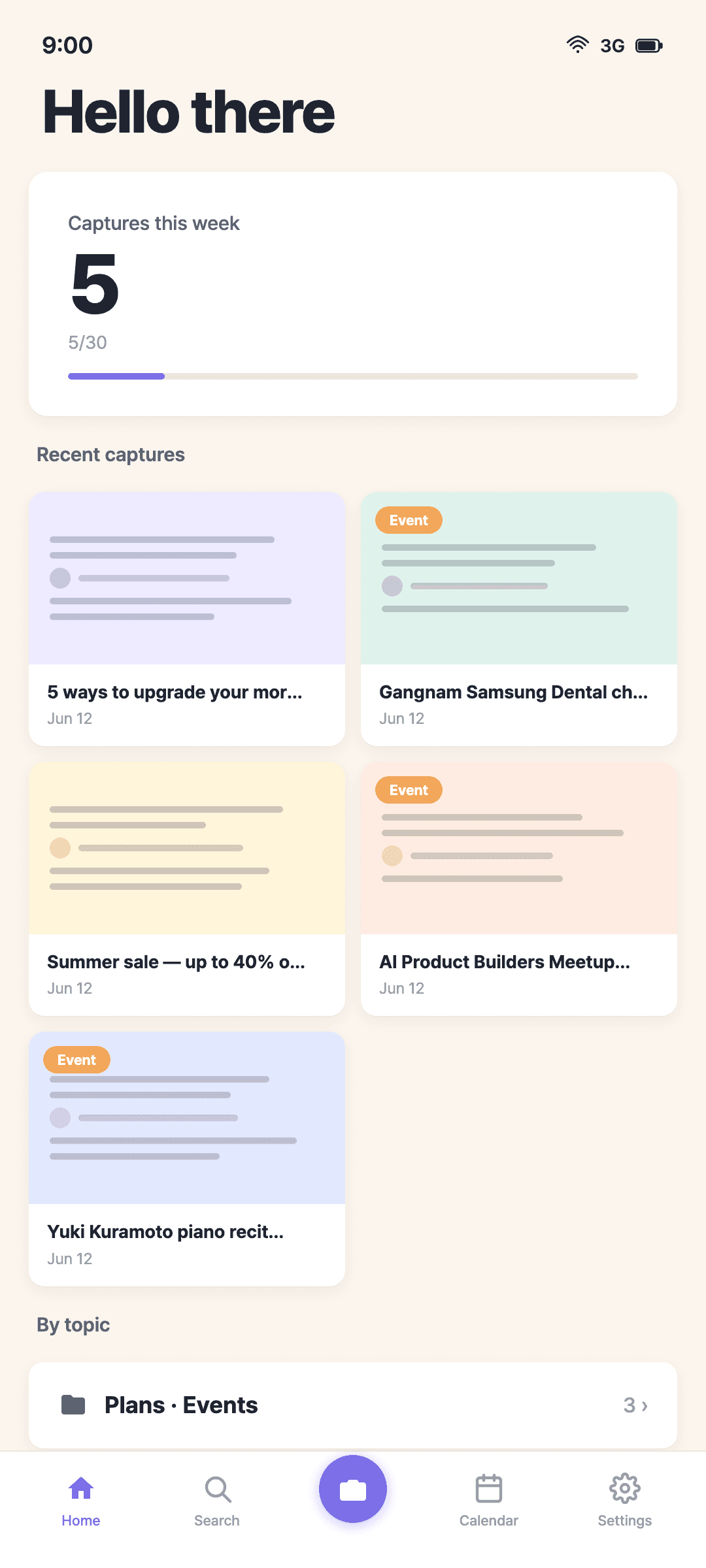
Home — this week at a glance
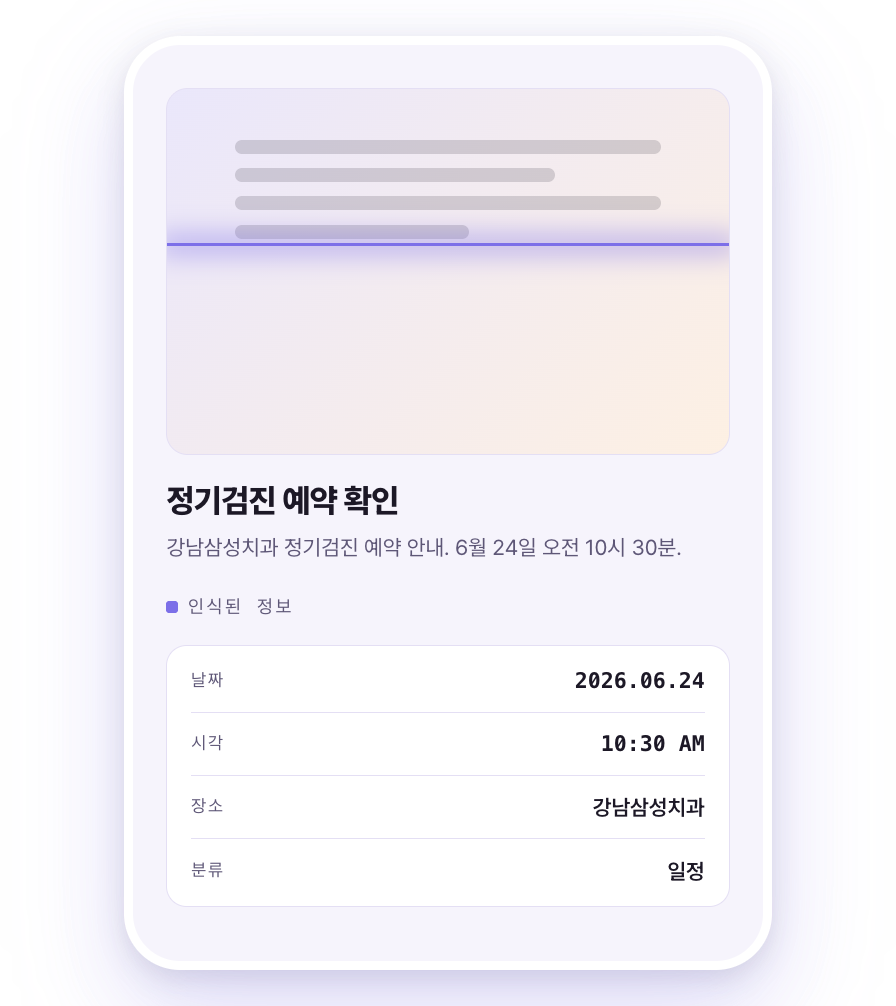
Reads the text in your captures
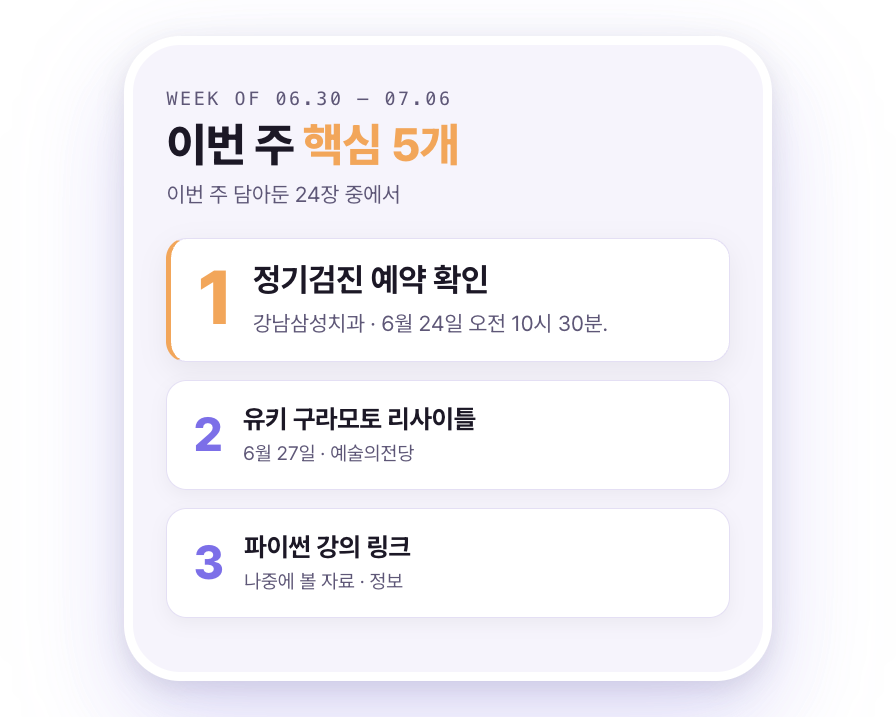
Sunday evening, your week in 5 lines
For everyone the note apps never quite fit.
You don't want to build a sorting system. You just don't want to lose things.

Byungin Song
Solo founder · built Memsum
“I used to have 1,800 screenshots piled up and still missed appointments. I needed something to remember for me — so I built Memsum myself.”
Other tools
Sorting
You build folders, tags, systems
Korean text
Weak OCR, or none
Plans
Copy them over by hand
Looking back
You have to go dig
Getting started
Sign-up & onboarding
Sorting
Titles & categories, done for you
Korean text
Korean OCR + typo cleanup
Plans
Screenshot → calendar, one tap
Looking back
5 lines, every Sunday
Getting started
Free, right away
I'd only captured the appointment message, and it showed up in my Sunday 5 — I actually made it to the doctor.
I screenshotted a delivery text and Memsum read the tracking number. No need to open a separate tracking app.
Found a discount code I'd saved six months ago with one search. Screenshots I'd only hoarded were suddenly useful.
No. Your screenshots are only used to organize your own stuff.
Yes — right now you can try every feature for free. Go ahead and start, no pressure.
No. The calendar permission is only used to add events, and your connection token stays on your device.
Yes. It pulls out both Korean and English text, then tidies up typos and line breaks.
Android is available now on Google Play. iOS is on the way.
Just take the screenshot. Memsum does the rest.
Free to start · Productivity